¿Qué características debe tener una aplicación web para cumplir con el criterio "progresivo"? Está claro que, al igual que las aplicaciones web ordinarias, las progresivas se construyen sobre la base de las "tres grandes" tecnologías web: HTML / CSS / JS. Pero, ¿qué es exactamente lo que hace que las aplicaciones web sean progresivas?
En esta publicación intentaré encontrar el conjunto mínimo de características que debe cumplir una aplicación web en el momento para ser llamada "progresiva", y también responder a la pregunta de por qué en agosto de este año algunas aplicaciones "progresivas" dejarán de serlo.
Principios de selección de características
Tomaré un archivo HTML en blanco y gradualmente le agregaré artefactos que lo convertirán en una PWA hasta que mi teléfono inteligente decida instalar esta aplicación y Chrome deje de mostrar advertencias. Se eligió Chrome porque Google es actualmente el principal impulsor de la tecnología PWA.
HTTPS
Lo primero que debe configurar en el servidor es el cifrado de tráfico. Aquí todo se hace de la misma forma que para las aplicaciones web convencionales. Personalmente, uso Apache httpd y genero certificados de cifrado a través de Let's Encrypt .
Shell de la aplicación
Un shell de aplicación es el conjunto mínimo de archivos que permite que una aplicación se ejecute sin conexión. Intentaré ajustar todo el código necesario (HTML / CSS / JS) al máximo en un archivo - index.html
.
<!DOCTYPE html>
<html lang="en">
<head>
<title>PWA</title>
<style>
BODY {
background-color: #FB9902;
color: #342309;
font-size: xx-large;
margin: 0;
}
DIV {
align-content: center;
display: grid;
height: 100vh;
justify-content: center;
}
</style>
</head>
<body>
<div>App Shell</div>
</body>
</html>
Manifiesto
El manifiesto es un marcador directo de que la página es parte de una aplicación web progresiva. El manifiesto se incluye en el encabezado de la página HTML:
<link rel="manifest" href="demo.pwa.json">
Chrome:

, Chrome :
{
"start_url": "./",
"name": "PWA",
"display": "standalone",
"icons": [
{
"src": "./icon.png",
"sizes": "144x144",
"type": "image/png"
}
]
}
Icon
Chrome', 144x144 PNG, SVG WebP. :
Service Worker
Chrome - service worker'.
Service worker (index.html
):
<script>
if ("serviceWorker" in navigator) {
self.addEventListener("load", async () => {
const container = navigator.serviceWorker;
if (container.controller === null) {
const reg = await container.register("sw.js");
}
});
}
</script>
sw.js
:
'use strict';
Chrome: Page does not work offline
'use strict';
function hndlEventFetch(evt) {}
self.addEventListener('fetch', hndlEventFetch);
:
Site cannot be installed: Page does not work offline. Starting in Chrome 93, the installability criteria is changing, and this site will not be installable. See https://goo.gle/improved-pwa-offline-detection for more information.
Chrome: Version 89.0.4389.72 (Official Build) (64-bit)
, :
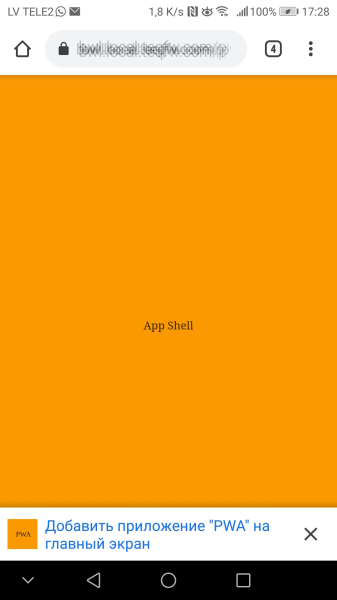
, service worker , ( 2021-) .
PWA 2021-, , . service worker':
'use strict';
const CACHE_STATIC = 'static-cache-v1';
function hndlEventInstall(evt) {
/**
* @returns {Promise<void>}
*/
async function cacheStaticFiles() {
const files = [
'./',
'./demo.pwa.json',
'./icon.png',
'./index.html',
'./sw.js',
];
const cacheStat = await caches.open(CACHE_STATIC);
await Promise.all(
files.map(function (url) {
return cacheStat.add(url).catch(function (reason) {
console.log(`'${url}' failed: ${String(reason)}`);
});
})
);
}
// wait until all static files will be cached
evt.waitUntil(cacheStaticFiles());
}
function hndlEventFetch(evt) {
async function getFromCache() {
const cache = await self.caches.open(CACHE_STATIC);
const cachedResponse = await cache.match(evt.request);
if (cachedResponse) {
return cachedResponse;
}
// wait until resource will be fetched from server and stored in cache
const resp = await fetch(evt.request);
await cache.put(evt.request, resp.clone());
return resp;
}
evt.respondWith(getFromCache());
}
self.addEventListener('install', hndlEventInstall);
self.addEventListener('fetch', hndlEventFetch);
service worker' Chrome 93+. :
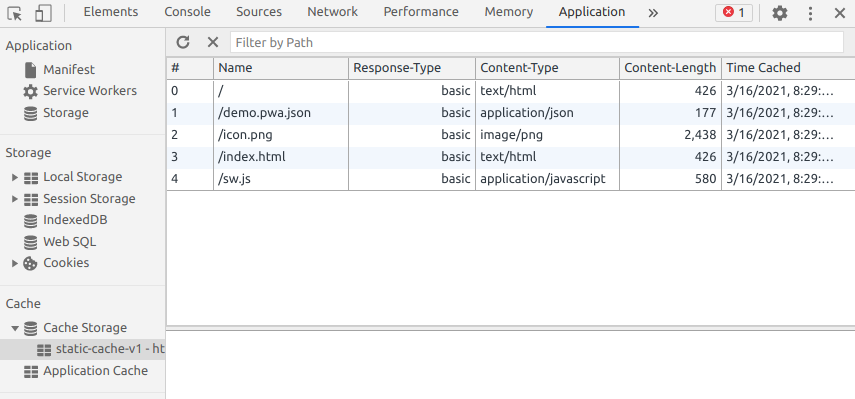
, - favicon.ico
:
GET https://bwl.local.teqfw.com/favicon.ico 404
, PWA.
web- ( 2021-) :
(HTTPS).
( ).
( service worker).
.
Service worker.
.
PWA :
Chrome , 93 web- . PWA , Vue Storefront. Magento 2 , ( , Magento 2 web-).
, Vue Storefront, , , . , e- . , PWA , PWA . -, - - web, - -. web-, serverless ( App Shell, service worker', - ). , web- -, - .
Vue Storefront , . Vue Storefront , Chrome 93+ (, ). , PWA- Magento .
Google PWA, web' . , web- , 100% -. , PWA - :
In December 2020, Firefox for desktop abandoned implementation of PWAs (specifically, removed the prototype "site-specific browser" configuration that had been available as an experimental feature). A Firefox architect noted: "The signal I hope we are sending is that PWA support is not coming to desktop Firefox anytime soon." Mozilla still plans to support PWAs on Android.

- PWA- . "" .
En mi opinión, PWA es una solución de "nicho" para dispositivos móviles. Sí, se realiza utilizando tecnologías web (HTML / CSS / JS) y se ejecuta dentro del navegador, pero el desarrollo de PWA debe abordarse desde el punto de vista de las aplicaciones móviles nativas más que desde el punto de vista de las aplicaciones web (sitios o SPA ).
En otras palabras, si solo necesita una aplicación web, no necesita una PWA. Pero si necesita desarrollar una aplicación móvil, PWA puede ser una opción aceptable.